Case study — Snap
Fix the camera,
not the person
Copy for a Snapchat camera tool that helps the camera capture every skin tone well in different light.
In short: The first draft said “correct your skin tone.” I rewrote it so the camera is what gets adjusted, never the person in the picture.
The challenge
Who is being corrected?
I always strive to create content that will be accessible to everyone, regardless of age or background. This tool was built to make Snapchat’s camera work better for all of the app’s users, whatever their skin tone.
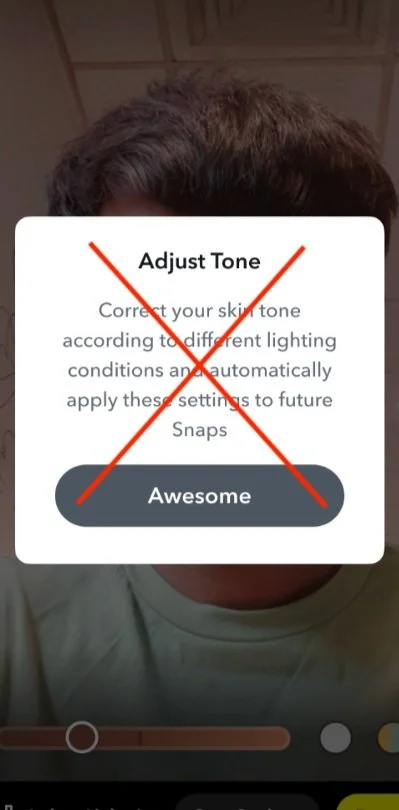
The copy originally suggested for it used phrases like “adjust skin tone” and “correct your skin tone.” That language implies something is wrong with a person’s skin, which is not a message any product should send.
The work
Point the adjustment at the camera
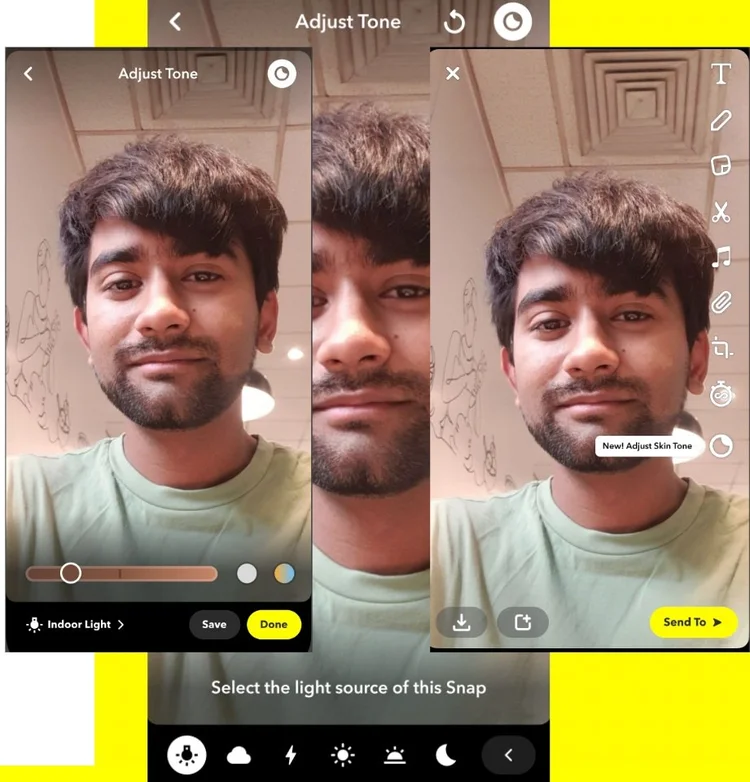
The tooltip changed to “adjust camera to skin tone,” making clear it’s the camera that needs adjusting. I also rewrote the onboarding modal for clarity and inclusivity.
Outcome
What changed
“Correct your skin tone” became “adjust camera to skin tone”
An onboarding modal that names the camera, not the person, as the thing being adjusted
A clearer button: “Try It” instead of “Awesome”